Post
Debugging Your Workspace: The Biomechanics of the Vertical Ergonomic Mouse
May
Debugging Your Workspace: The Biomechanics of the Vertical Ergonomic Mouse
In the high-intensity workflow of a full-stack developer, a student navigating complex database labs, or a gamer immersed in the deep lore of Honkai: Star Rail, the mouse is the primary bridge between your physical intent and digital execution. We spend thousands of hours a year performing micro-movements with our right hand, often without considering the biological toll. Using a standard, flat mouse forces your forearm into a state of “pronation”—where the radius and ulna bones are twisted 90 degrees from their natural resting position. This architectural flaw in your workstation is a major source of biological friction. It compresses the carpal tunnel, inflames tendons, and introduces physical latency into your workflow. The definitive hardware patch for this structural bug is the deployment of a professional vertical ergonomic mouse.
A vertical mouse is not just a standard peripheral tilted on its side; it is a meticulously engineered ergonomic interface. By shifting your hand into the “natural handshake” position, it completely overwrites the skeletal stress caused by traditional designs. In this comprehensive technical guide, we will decode the anatomy of wrist strain, the physics of the 57-degree vertical angle, the logic of high-DPI tracking, and why this specific peripheral is a mandatory investment for long-term health and productivity.

Upgrade your physical input hardware to eliminate wrist compression and optimize skeletal alignment.
The Anatomy of Pronation: Why Flat Mice Fail
To understand the utility of the vertical ergonomic mouse, we must first analyze the “default” state of the human forearm. When you let your arms hang naturally at your sides, your palms face inward toward your thighs. This is the neutral, zero-stress position for your bones, muscles, and nerves.
The Skeletal Twist Bug
When you place your hand flat on a traditional mouse, you are forced to rotate your palm downward. This movement, known as pronation, requires the radius bone in your forearm to physically cross over the ulna. This twist places constant, static tension on the surrounding musculature. More critically, it puts direct pressure on the median nerve—the primary data cable for your hand—as it passes through the narrow carpal tunnel in your wrist. Sustaining this twisted posture during an 8-hour coding sprint or a heavy study session at FPT Polytechnic is the biological equivalent of running a cable with a 90-degree kink; eventually, the signal degrades, leading to numbness, tingling, and Repetitive Strain Injury (RSI).
The 57-Degree “Handshake” Protocol
The vertical ergonomic mouse is engineered with a specific 57-degree vertical angle. This is the mathematically optimized “sweet spot” that mimics the natural handshake position. By tilting the interface, the mouse allows your forearm to remain in its neutral, untwisted state. This alignment completely removes the pressure from the carpal tunnel and reduces muscle activity in the forearm by up to 10%. It effectively “patches” the skeletal alignment bug, allowing you to maintain your flow state without the interruption of physical pain.
Hardware Performance: Optical Precision and DPI Logic
An ergonomic mouse must be as capable as it is comfortable. If the sensor is laggy or inaccurate, you end up making more forceful, jittery movements to compensate, which negates the ergonomic benefits. A premium vertical mouse is built upon high-fidelity optical hardware.
High-DPI Tracking and Reduced Kinetic Load
DPI (Dots Per Inch) is a measure of a mouse’s sensitivity. A standard office mouse often has a fixed, low DPI, requiring you to move your entire arm across the desk to navigate between dual monitors. A professional vertical ergonomic mouse features an adjustable high-DPI optical sensor, often reaching up to 4000 DPI.
High DPI allows for “Low-Force Execution.” With the sensitivity turned up, a microscopic 5mm movement of your wrist can move the cursor across an entire 4K display. This reduction in the total distance your hand must travel significantly lowers the cumulative kinetic load on your shoulder and elbow joints. For a developer navigating complex directory trees or a gamer executing precise clicks in Zenless Zone Zero, this high-precision tracking provides a faster, more efficient UI interaction with less physical effort.
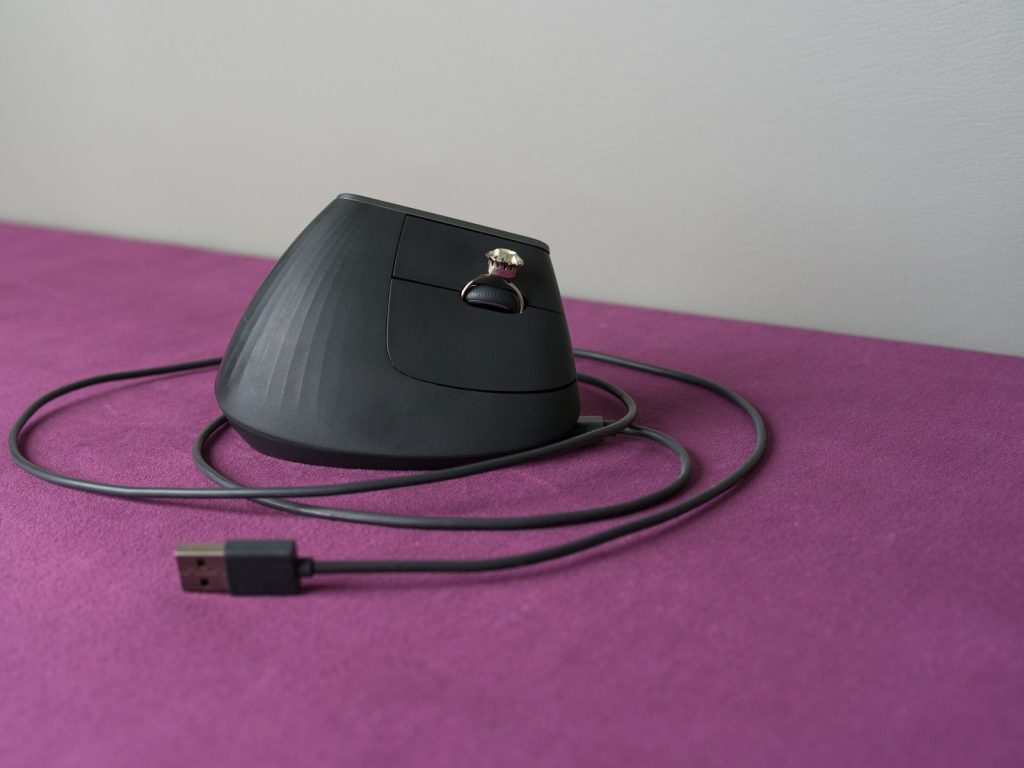
The integrated thumb rest and programmable macro buttons streamline your digital navigation and reduce repetitive clicking.
The User Interface: Programmable Macros and Textures
A high-performance peripheral should act as a multi-tool. This vertical mouse is designed with a specific UI layout to streamline your most frequent digital actions.
The Thumb-Rest Landing Zone
One of the most overlooked features is the dedicated thumb rest. In a standard mouse, the thumb often drags along the desk surface, creating friction and requiring constant micro-adjustments. The vertical design includes a wide, sculpted landing zone that cradles the thumb. This “zero-gravity” support ensures that your entire hand moves as a single, unified unit, improving overall control and reducing skin-to-desk friction.
Programmable Side Buttons (Macro Modules)
Located directly above the thumb rest are two programmable “Back/Forward” buttons. In a development or academic environment, these act as hardware macros. Instead of having to move your cursor to the top-left of the browser to navigate through documentation or file history, you can execute the command with a simple click of your thumb. This eliminates hundreds of unnecessary cursor movements and clicks per hour, further reducing the repetitive strain on your index finger.
Maintenance and Connectivity: The Wireless Freedom Protocol
Cable drag is another subtle source of wrist strain. A stiff USB cable can pull against the mouse, forcing your hand to work against the tension of the wire. To provide a truly frictionless experience, the vertical ergonomic mouse utilizes dual-mode wireless connectivity.
- 2.4GHz Wireless (The Low-Latency Dock): Using the included USB “Unifying” receiver, the mouse provides a rock-solid, lag-free connection that is indistinguishable from a wired mouse. This is the preferred mode for gaming or high-speed data entry.
- Bluetooth LE (The Mobile Module): For the student at FPT Polytechnic working in a library or a developer on the go, the mouse can pair directly via Bluetooth Low Energy. This allows you to connect to your laptop or tablet without occupying a valuable USB port.
- Rechargeable Infrastructure: Gone are the days of swapping alkaline batteries. The mouse features an internal lithium-ion battery that charges via USB-C. A full charge provides up to 4 months of uptime, and if you run low, a quick 1-minute “emergency charge” provides enough power for 3 hours of use.
Conclusion: The Ultimate Health Upgrade for Your Hand
We often spend thousands of dollars on software and processing power, yet we continue to interact with those systems using 1960s-era “flat” mouse designs that actively damage our bodies. A vertical ergonomic mouse is a fundamental correction to a decades-old architectural error. By aligning your hand in the natural handshake position, providing high-DPI precision, and eliminating wrist compression, it removes the physical friction from your digital life. Upgrade your primary input device today, debug your posture, and ensure your biological hardware remains as efficient as the systems you build.
Frequently Asked Questions (FAQ)
Q: How long does it take to get used to a vertical mouse?
A: Because the “handshake” position is actually your hand’s natural resting state, the adjustment period is remarkably short. Most users report feeling 100% comfortable and reaching full “cursor accuracy” within 2 to 3 days of consistent use.
Q: Is this mouse good for gaming?
A: Yes! While pro-level FPS gamers might prefer ultra-lightweight traditional mice for “flick-shots,” the vertical mouse is excellent for RPGs, strategy games (like Star Rail), and long exploration sessions in Minecraft. The reduced fatigue allows you to play for longer without your hand cramping up.
Q: Can I use this mouse if I am left-handed?
A: This specific model is a right-handed ergonomic design, as its contours and button placements are asymmetric. Left-handed users should look specifically for “Left-Handed Vertical Mice” to ensure they receive the same ergonomic benefits.
Q: Will the high-DPI sensor work on a glass desk?
A: While the advanced optical sensor works on most surfaces (including wood, laminate, and cloth), glass reflects light in a way that can confuse any optical sensor. For a pixel-perfect, zero-latency experience on a glass desk, we always recommend using a leather or cloth desk mat.
