Post
Low-Latency Tactility: The Architecture of the Mechanical Gaming Keyboard
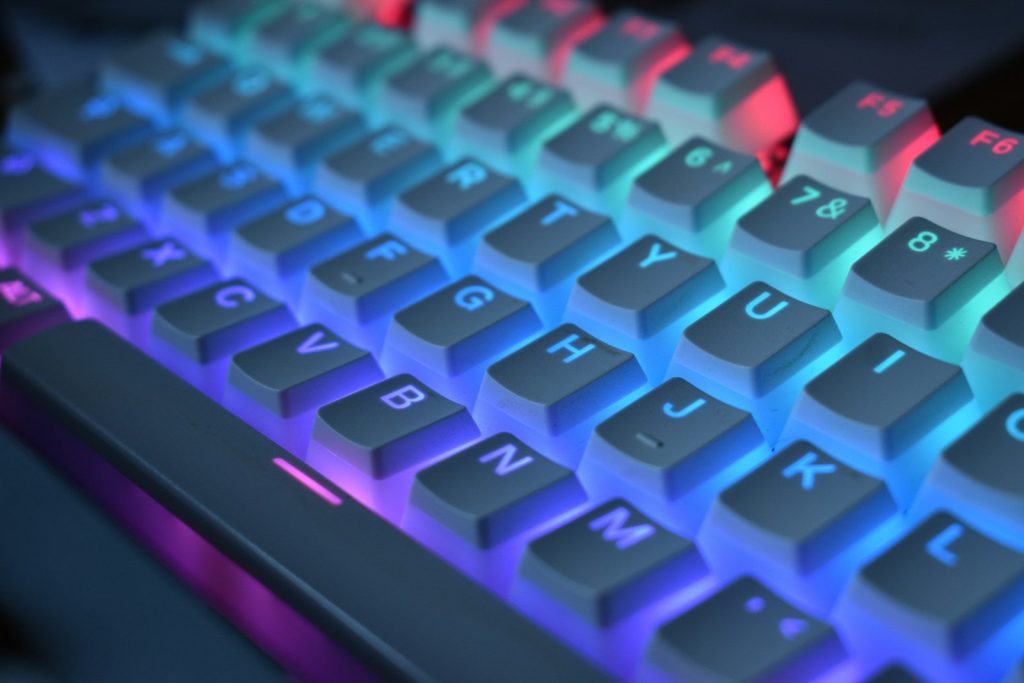
May
Low-Latency Tactility: The Architecture of the Mechanical Gaming Keyboard
In the high-stakes execution environments of full-stack development, academic research, and competitive gaming, your primary input device is the most significant bottleneck between your intent and the system’s action. For a developer at FPT Polytechnic troubleshooting a complex React deployment or a gamer navigating a high-intensity encounter in Zenless Zone Zero, the standard “membrane” keyboard provided with most PCs is a source of severe “input latency.” Membrane keys require a full bottom-out to register a signal, offer zero tactile feedback, and often suffer from “ghosting”—where the system fails to parse multiple simultaneous keypresses. To resolve these systemic inefficiencies and optimize your physical interface, you must deploy a professional-grade mechanical gaming keyboard.
A mechanical keyboard is not just a peripheral; it is a high-performance array of individual mechanical switches. By providing dedicated hardware for every single key, it offers unparalleled durability, customizable tactile profiles, and near-instantaneous signal actuation. In this technical deep dive, we will decode the physics of mechanical switches, the logic of N-Key Rollover (NKRO), the UI of per-key RGB theming, and why this specific hardware module is a mandatory investment for your workstation’s productivity.

Upgrade to a mechanical interface to achieve low-latency execution and tactile system confirmation for every keystroke.
The Physics of Actuation: Mechanical Switch Logic
The defining feature of a mechanical keyboard is the switch located beneath every keycap. Unlike the “mushy” rubber domes of legacy hardware, a mechanical switch uses a physical spring and metal contact points to trigger a Hardware Interrupt.
Actuation Point vs. Bottom-Out
In a membrane keyboard, the key must be pressed 100% of the way down to close the circuit. In a mechanical switch, the “Actuation Point”—the moment the signal is sent to the PC—occurs midway through the keypress (typically at 1.5mm to 2.0mm of travel). This allows for “High-Speed Input,” as you do not need to waste energy or time bottoming out the key.
This physical architecture provides a significant advantage during rapid data entry or complex gaming maneuvers. You can move from one key to the next with microscopic movements, reducing the cumulative kinetic strain on your fingers and increasing your “Actions Per Minute” (APM). Whether you are typing out a long Node.js backend script or executing a combo in Honkai: Star Rail, the reduced travel distance translates directly to a faster, more responsive user experience.
Tactile Feedback: System Confirmation for Your Fingers
Input errors often occur because the user is unsure if a keypress was successfully registered, leading to “over-pressing” or double-typing. Mechanical keyboards solve this by providing Physical System Confirmation through three distinct switch profiles:
- Linear Switches (Red): These switches offer a smooth, consistent keystroke from top to bottom with no physical “bump.” They are the preferred hardware for gamers who require rapid-fire keypresses with zero resistance.
- Tactile Switches (Brown): These feature a physical “bump” at the exact moment of actuation. This gives your fingers instant feedback that the character has been sent to the screen, allowing you to stop pressing and move to the next key. This is the optimal “balanced” profile for developers who mix coding with gaming.
- Clicky Switches (Blue): These provide both a tactile bump and an audible “click” sound. This secondary audio feedback is highly satisfying for touch-typists, providing a rhythmic, typewriter-like experience that reinforces your typing speed.
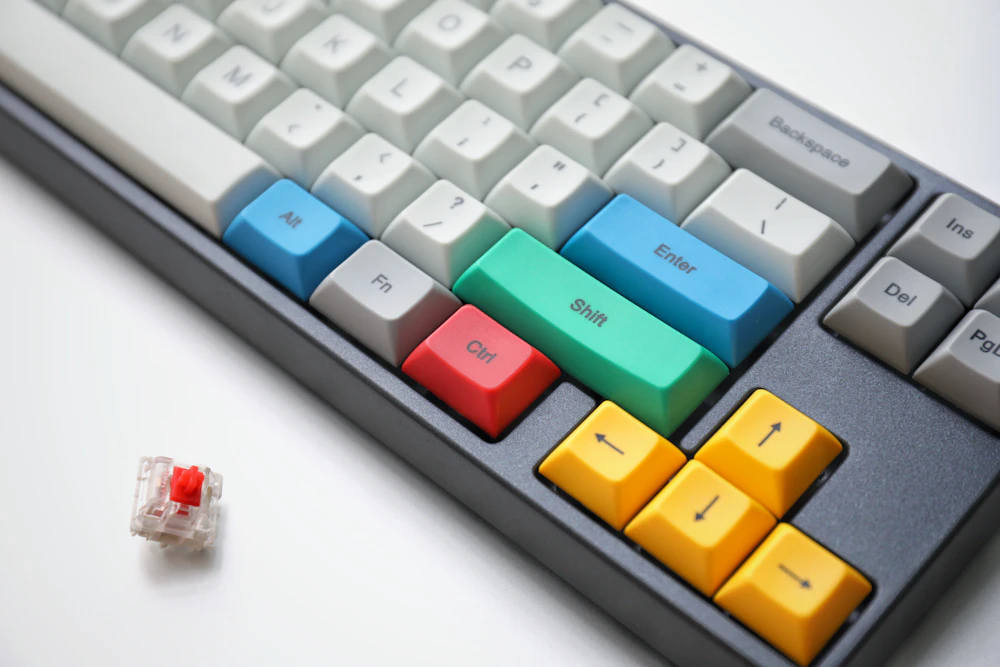
Hot-swappable sockets allow you to customize your hardware’s tactile feel without soldering, ensuring total modularity.
Advanced Circuitry: N-Key Rollover and Anti-Ghosting
Standard office keyboards often utilize a “matrix” circuitry that can only parse a few simultaneous inputs. If you press “W,” “A,” and “Shift” at once, the system might “ghost,” failing to register the third input. For a programmer using complex IDE shortcuts or a gamer executing multi-key macros, this is a critical system failure.
Absolute Input Integrity (NKRO)
A professional mechanical gaming keyboard features N-Key Rollover (NKRO) over USB. This means the keyboard’s internal controller can independently track and report every single key on the board simultaneously. No matter how many keys you mash during a high-stress deployment or a boss fight, the hardware maintains absolute input integrity. Every command is queued and executed in the exact order it was received, ensuring that your digital performance is limited only by your own dexterity, not by your hardware’s bus width.
The UI of Light: Per-Key RGB Theming
While often dismissed as “aesthetic,” the integrated RGB lighting of a mechanical keyboard serves a functional role in workspace organization. Through dedicated software, you can implement “Visual Macros” and “UI Theming.”
Context-Aware Lighting
You can program the keyboard to change its lighting profile based on the active application. For example, when you open Visual Studio Code, the keyboard can highlight your primary shortcut keys (Ctrl, Shift, F5, etc.) in a specific color, reducing the cognitive search time for your fingers. When you switch to a game, the lighting can shift to highlight the WASD cluster. This “Visual UI” provides a secondary layer of information, allowing you to navigate your physical hardware with the same speed and intuition you use for your digital software.
Durability and Maintenance: The 50-Million Click Lifespan
From a “Hardware Lifecycle” perspective, mechanical keyboards are vastly superior to membrane alternatives. A standard membrane keyboard is rated for roughly 5 million keystrokes before the rubber dome loses its elasticity and becomes unresponsive. A mechanical switch is rated for 50 to 100 million clicks.
Furthermore, these keyboards often feature “Hot-Swappable” PCBs. If a single switch fails, you don’t have to deprovision the entire keyboard. You simply use a small tool to pull the broken switch out and “plug and play” a new one in seconds. Combined with high-durability “Double-Shot PBT” keycaps—which use a two-layer molding process so the legends never fade—a mechanical keyboard is a lifetime investment that maintains its factory-fresh tactile performance for decades.
Conclusion: The Ultimate Input Upgrade
Your keyboard is the most frequently used hardware in your entire stack. Using a low-quality, high-latency membrane board is a logical error that introduces physical and cognitive friction into every task you perform. A mechanical gaming keyboard is a precision-engineered solution that optimizes the bridge between your mind and the machine. By providing low-latency actuation, tactile system confirmation, and absolute input integrity, it ensures that your execution is always as sharp as your logic. Upgrade your primary interface today, choose the switch profile that matches your workflow, and experience the profound clarity of a perfectly calibrated workstation.
Frequently Asked Questions (FAQ)
Q: Are mechanical keyboards too loud for an office or shared room?
A: While “Clicky” Blue switches are quite loud, “Linear” Red or “Tactile” Brown switches are relatively quiet. Furthermore, many modern mechanical boards include internal dampening foam or “O-rings” that absorb the sound of the key bottoming out, making them perfectly acceptable for a professional or shared environment.
Q: What is the difference between “Wired” and “Wireless” mechanical keyboards?
A: Wired keyboards offer the absolute lowest latency and never require battery management. However, many modern wireless mechanical keyboards use 2.4GHz “Lightspeed” technology that offers 1ms response times, making the latency indistinguishable from a wired connection while providing a cleaner, “Zero-Cable” desk UI.
Q: Can I use a gaming keyboard for professional software development?
A: Absolutely. In fact, many top-tier developers prefer gaming keyboards because of the high build quality, the programmable macro keys (for automating repetitive code blocks), and the superior tactile feedback that reduces typing errors during long coding sessions.
Q: Why are mechanical keyboards so much heavier than regular ones?
A: The weight is a sign of structural integrity. Mechanical keyboards typically feature a solid steel or aluminum backplate to support the individual switches. this prevents the keyboard from “flexing” during heavy typing and ensures it stays anchored to your desk mat, providing a stable foundation for your work.
