Post
Maximizing Visual Bandwidth: The Architecture of the Ultra-Wide Curved Monitor
May
Maximizing Visual Bandwidth: The Architecture of the Ultra-Wide Curved Monitor
In the high-velocity execution environments of full-stack development, complex data analysis, and immersive gaming, your monitor is the primary output bus for all system data. For a developer at FPT Polytechnic managing a front-end React build alongside a Node.js backend, or a researcher parsing massive spreadsheets, the traditional dual-monitor setup introduces a significant hardware bug: the “Bezel Gap.” This physical break in the center of your field of vision forces your eyes to constantly refocus and your brain to execute a costly context switch every time you move your gaze between screens. To resolve this fragmentation and maximize your cognitive throughput, you must deploy an ultra-wide curved monitor.
An ultra-wide monitor is not just a larger screen; it is a fundamental expansion of your digital workspace. By providing a continuous, 21:9 aspect ratio and an ergonomic curvature that matches the natural arc of the human eye, it creates a seamless canvas for parallel processing. In this technical deep dive, we will decode the physics of curvature (R-rating), the logic of screen real estate vs. resolution, the UI of “Picture-by-Picture” (PBP) modes, and why this specific hardware module is the ultimate upgrade for your professional infrastructure.

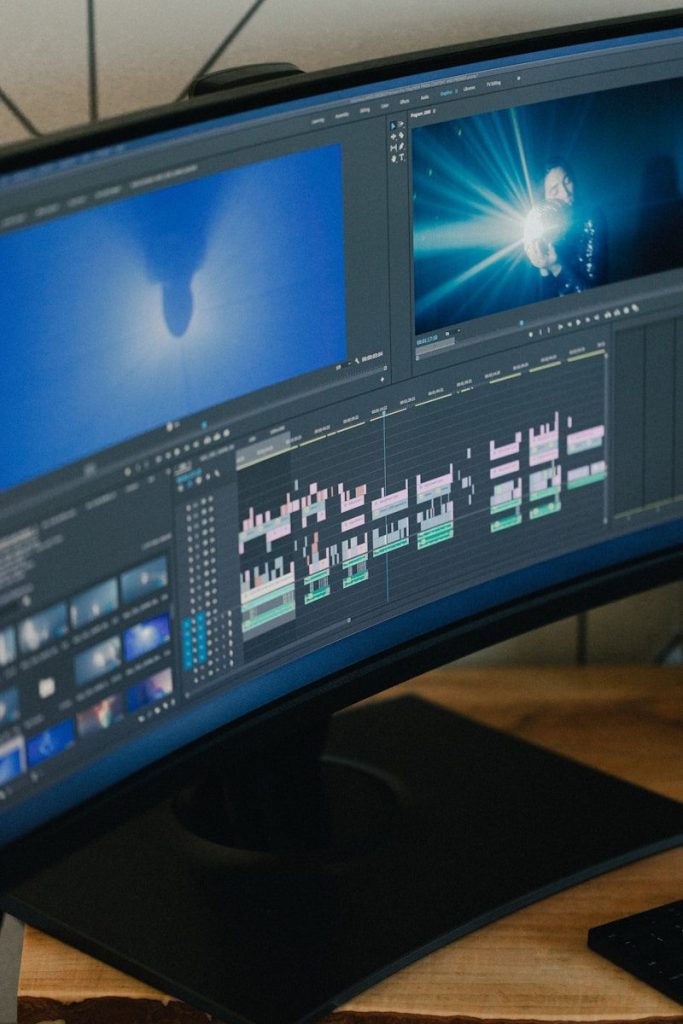
Consolidate your workstation into a single, seamless visual interface to eliminate the distraction of physical bezels.
The Physics of Curvature: Understanding the R-Rating
The defining feature of a 34-inch or 49-inch ultra-wide monitor is its curve. This is not an aesthetic choice; it is a critical ergonomic patch for the “Focal Distance Error.” On a massive flat monitor, the edges of the screen are physically further away from your eyes than the center. This requires your ocular muscles to constantly adjust their focus as you scan from the middle to the corners, leading to rapid eye strain.
Matching the Natural Arc
The curvature of a monitor is denoted by its “R-rating” (e.g., 1500R, 1800R). This number represents the radius of the circle that the curve would form if it were extended 360 degrees. A 1500R monitor has a curve radius of 1500mm.
By curving the screen, the hardware ensures that every pixel—from the dead center to the extreme left and right edges—remains at a near-identical distance from your pupils. This creates a “Uniform Focal Plane,” allowing you to scan massive amounts of code or wide-open game worlds in Genshin Impact or Zenless Zone Zero without your eyes ever having to recalibrate. This physical alignment maximizes your “Visual Uptime” and reduces the headaches associated with long-duration screen time.
Spatial Logic: Parallel Processing and Screen Real Estate
In computing, adding more RAM allows the CPU to hold more data in immediate access memory, reducing the need to swap data from a slow hard drive. An ultra-wide curved monitor acts as “Visual RAM” for your brain. The standard 16:9 monitor is a bottleneck that forces you to constantly use `Alt+Tab` to switch between your IDE, your terminal, and your browser.
The 21:9 Aspect Ratio Advantage
An ultra-wide monitor provides 33% more horizontal screen real estate than a standard wide-screen. This allows for a “Parallel Workflow” configuration:
- The Left Sector: Your primary IDE (Visual Studio Code or IntelliJ) with a full directory tree and open editor.
- The Center Sector: The live preview of your web application or your primary game window.
- The Right Sector: Your terminal, documentation, or a Slack/Discord communication window.
This layout ensures that all your “Context Variables” are visible at once. You no longer have to hold the state of your code in your head while switching to the browser to check a result. This reduction in context switching leads to a profound increase in development speed and reduced logical errors.

Advanced I/O modules like USB-C Power Delivery transform the monitor into a central docking hub for your mobile hardware.
The I/O Interface: USB-C Docking and KVM Logic
A premium ultra-wide curved monitor serves as more than just a display; it acts as the “Central Hub” for your entire hardware stack. Modern ultra-wides are often equipped with an integrated KVM (Keyboard, Video, Mouse) switch and USB-C Power Delivery (PD).
One-Cable Deployment
Through a single USB-C connection, the monitor can simultaneously receive the video signal from your laptop, transmit data to your keyboard and mouse plugged into the monitor’s USB ports, and provide up to 90W of power to charge your laptop. This “Single-Cable Protocol” eliminates the cable clutter on your desk mat and streamlines your transition from a mobile student at FPT Polytechnic to a docked professional developer at your home station.
Multi-System Management (PBP/PIP)
Many ultra-wides feature “Picture-by-Picture” (PBP) mode, which allows the monitor to act as two independent displays for two different hardware inputs. You can plug in your development laptop and your gaming PC simultaneously, and the monitor will split the 21:9 canvas down the middle. This allows you to monitor a long software compilation or a server deployment on one side while managing your communications or engaging in a light gaming session on the other—true hardware-level multitasking.
Visual Fidelity: Color Accuracy and High Refresh Rates
For a developer working on UI/UX or a gamer seeking smooth execution, the “Data Refresh” of the monitor is critical. High-performance ultra-wides typically feature IPS (In-Plane Switching) panels and refresh rates of 144Hz or higher.
- IPS Color Logic: Unlike cheaper TN or VA panels, IPS technology offers 99% sRGB color accuracy and wide viewing angles. This ensures that the hex codes you choose in your CSS are rendered with absolute fidelity, preventing “Visual Corruptions” where colors look different based on your head position.
- High-Frequency Refresh: A 144Hz refresh rate means the screen updates the image 144 times per second. This results in incredibly smooth cursor movement and window dragging. In gaming, it reduces motion blur and input lag, providing a “Zero-Latency” feel that is essential for high-speed action in titles like Honkai: Star Rail.
Conclusion: The Ultimate Visual Command Center
We spend our professional lives peering through the “window” of our monitors. To limit yourself to a small, flat, or fragmented dual-monitor setup is to introduce a permanent bottleneck into your productivity pipeline. An ultra-wide curved monitor is a comprehensive hardware solution that addresses focal comfort, spatial organization, and visual fidelity in a single unit. By expanding your horizontal bandwidth and providing an ergonomic, continuous canvas, it allows you to see more, do more, and sustain your focus for longer. Upgrade your primary output device today, eliminate the bezel gap, and experience the unparalleled clarity of a perfectly optimized workstation.
Frequently Asked Questions (FAQ)
Q: Is my laptop powerful enough to drive an ultra-wide resolution?
A: Most modern laptops with integrated graphics (like Intel Iris Xe or AMD Radeon) can handle a standard 3440 x 1440 ultra-wide resolution for productivity tasks. However, if you intend to play high-fidelity games at this resolution, you will need a dedicated GPU (like an RTX 3060 or higher) to maintain stable frame rates.
Q: Will an ultra-wide monitor fit on a standard 120cm desk?
A: A 34-inch ultra-wide is roughly 80-82cm wide, which fits comfortably on a 120cm desk, leaving room for your speakers or an LED desk lamp. However, if you are looking at a “Super Ultra-Wide” (49-inch), the monitor is nearly 120cm wide, meaning it will occupy the entire surface of your desk.
Q: Does the curve make straight lines look warped in design work?
A: This is a common concern for architects and designers. While there is a slight visual adjustment period, your brain quickly compensates for the curve. For the vast majority of UI/UX and web development, the ergonomic benefits of the curve far outweigh any perceived warping of horizontal lines.
Q: Can I mount this monitor on a monitor arm?
A: Yes, most ultra-wide monitors are VESA-compatible (100x100mm). However, because these monitors are significantly heavier than standard screens, you must ensure the monitor arm is rated for the specific weight of the display (typically 8kg to 12kg) to prevent the arm from sagging.
